App Management Request
This feature was implemented to address technology gaps that were impacting the user experience for iOS users. Specifically, Canopy's technology was unable to correctly read certain apps, leading to unnecessary blocking. The most effective solution was to skip filtering for these apps, which required permission to manage apps on the protected device.
This process will begin in the manager's account when we detect that an app on a protected device is not functioning correctly. The manager will then need to request management access for that app.
Flow staring with notification

Management device
A modal will inform the user that they need to request management access for a specific app.

Protected device:
Alert of Management request on blocked screen

Protected device:
Alert of management request on active screen
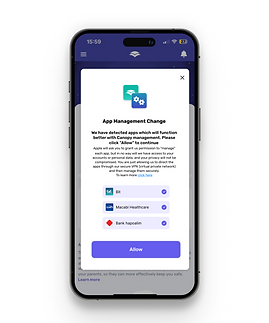
Protected device:
After pressing the notification, a modal will appear displaying the apps that require permission for management.
Flow staring from app inside protected device

Protected device:
A new module will appear as the first item on the dashboard, indicating that there are pending app management requests.
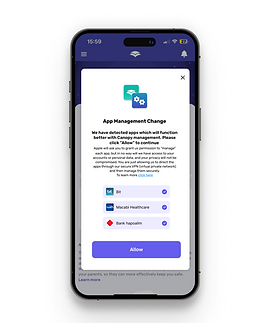
Protected device:
Once the module is pressed, it will display the same modal showing the apps that require permission for management.

Protected device:
After the user presses "Allow," they will need to accept permission for each app individually, with the default iOS modal appearing one after the other.

Protected device:
Once the process is complete, the module will be removed from the dashboard, and a success toast message will be displayed.